Brain atlas explorer
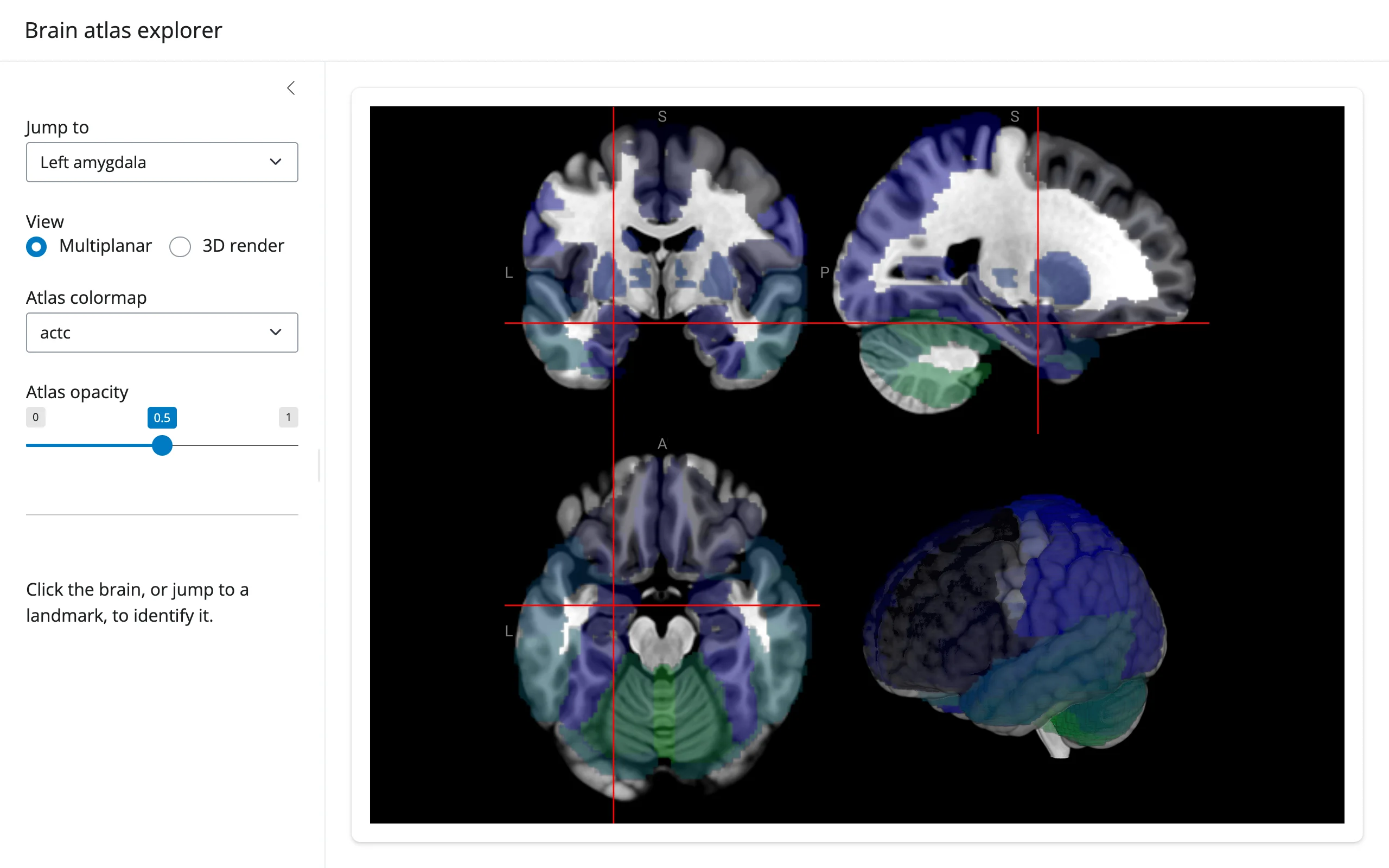
A NiiVue multiplanar/3D viewer loaded with the MNI152 template and the AAL (Automated Anatomical Labeling) atlas overlay. A dropdown jumps the crosshair to one of five named landmarks by converting MNI millimeter coordinates to voxel space with the volume’s own affine; clicking anywhere in the viewer looks up the AAL region and exact MNI coordinate under the crosshair. The colormap/opacity controls restyle the existing overlay in place – no re-render, no re-sending the volumes.
Run it
git clone --depth 1 https://github.com/posit-dev/py-shinywidgets
cd py-shinywidgets/website/gallery/showcases/brain-atlas-explorer
uv run --with nibabel shiny run app.py
Source: app.py · Open in Shinylive
Try this
- Pick a landmark from Jump to: the crosshair moves there in all views, instantly.
- Switch View between Multiplanar and 3D render.
- Click anywhere in the brain: the sidebar identifies the AAL region name and the exact MNI (x, y, z) coordinate.
- Drag Atlas opacity, or change Atlas colormap: the overlay restyles in place.
Accessors demonstrated
brain.location()– fires on a real click (or any crosshair move driven by user interaction), returning voxel/mm coordinates and the value under the crosshair in every loaded volume. Does not fire when Python itself setsscene.crosshair_pos(as the landmark dropdown does) – a documented asymmetry, not a bug:location()is specifically for user-driven lookups, and the landmark jump visibly moves the crosshair without needing a round trip through it.
Verification
Needs one ephemeral package (nibabel, used here for affine math; not in the project’s locked venv). Both the niivue.com image/JSON hosts were reachable from this machine at verification time. Two real gestures, each confirmed against the rendered sidebar text:
- Selecting “Primary visual cortex” from the landmark dropdown visibly moved the crosshair to the correct, very posterior location in
img/after_landmark.webp– but the region card correctly stayed on its placeholder text, sincelocation()only fires on user clicks. - A real click on the canvas then populated the region card with
"Occipital Sup L", MNI (-14, -88, 10) mm–img/after_click.webp.
Source: promoted from docs/widget-guides/niivue/gallery/showcase_atlas_explorer.py (see NOTES.md).