Shiny Core & modules
.widget, and every accessor work identically under Shiny Core’s explicit app_ui/server, and inside a Shiny module – including two instances of the same module, each with its own accessor state that the other can’t see.
Every snippet elsewhere on this site is Shiny Express, because it’s shorter to read and write. But shinywidgets has no idea which syntax built the app around it: a @render_plotly output and its accessors (.selected(), .selected_rows(), …) work exactly the same way whether they’re defined under Express’s implicit top-level UI or inside an explicit Shiny Core server() function – and the same again inside a Shiny module. This page covers both: the Core equivalent of Your first widget app, and what changes (nothing, as it turns out) when that same app is instantiated twice as a module.
Core: explicit UI, renderers inside server()
In Core, output_widget("plot") goes in app_ui instead of appearing wherever the render function is defined, and every render function and accessor lives inside server(input, output, session). The renderer itself – @render_plotly, .widget, .selected_rows(df) – is identical to the Express version:
# Shiny Core equivalent of the "Your first widget app" walkthrough
# (../../first-app/article.md): render a plotly scatter, read the user's
# lasso selection with an accessor, and highlight the selection in place.
# Everything about shinywidgets is identical to Express -- only the app's
# own scaffolding (app_ui/server, output_widget() in the UI) changes.
import plotly.express as px
from shiny import App, Inputs, Outputs, Session, reactive, render, ui
from shinywidgets import output_widget, render_plotly

gapminder = px.data.gapminder()
df = gapminder[gapminder.year == 2007].reset_index(drop=True)

app_ui = ui.page_fillable(
    ui.layout_columns(
        ui.card(
            ui.card_header("gdpPercap vs lifeExp, 2007 (drag to lasso-select)"),
            output_widget("plot"),
            full_screen=True,
        ),
        ui.card(
            ui.card_header("Selected countries"),
            ui.output_data_frame("selected_table"),
        ),
        col_widths=[8, 4],
    ),
    title="shinywidgets in Shiny Core",
)


def server(input: Inputs, output: Outputs, session: Session):
    @render_plotly
    def plot():
        fig = px.scatter(
            df, x="gdpPercap", y="lifeExp", custom_data=[df.index], log_x=True
        )
        fig.update_layout(dragmode="lasso")
        return fig

    @render.data_frame
    def selected_table():
        return plot.selected_rows(df)

    # Highlighting in place, not re-rendering: the effect only mutates
    # `plot.widget`'s existing marker-color trait, so the SAME FigureWidget
    # keeps running in the browser. A zoom the user made before lassoing is
    # untouched, because nothing about the figure itself was rebuilt --
    # compare a render function that read `plot.selected_rows(df)` and
    # returned a brand new `px.scatter(...)`, which would reset the zoom on
    # every selection. No `reactive.isolate()` around the write below:
    # restyling `plot.widget` doesn't feed back into `selected_rows()`,
    # which only updates from the browser's own selection events -- see
    # "Writing back" in ../../updating-in-place/article.md#writing-back for
    # the pattern where isolate() IS required (an effect that reads and
    # writes the SAME reactive state).
    @reactive.effect
    def _highlight_selection():
        rows = plot.selected_rows(df)
        selected_idx = set(rows.index)
        colors = ["#e85d04" if i in selected_idx else "#2a6f97" for i in df.index]
        plot.widget.data[0].marker.color = colors


app = App(app_ui, server)
Before any selection, and after lassoing the cluster of high-income, high-life-expectancy countries:
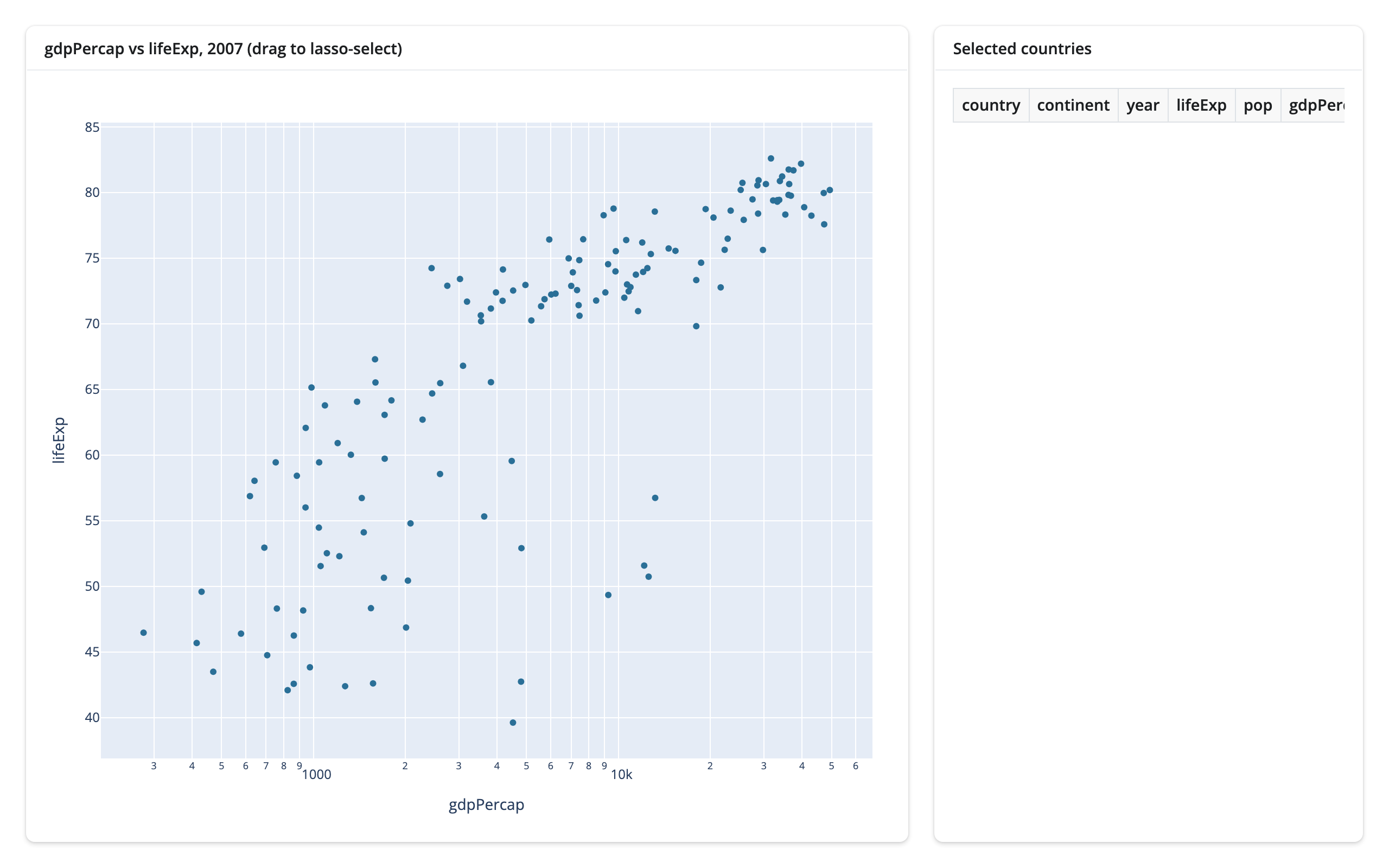
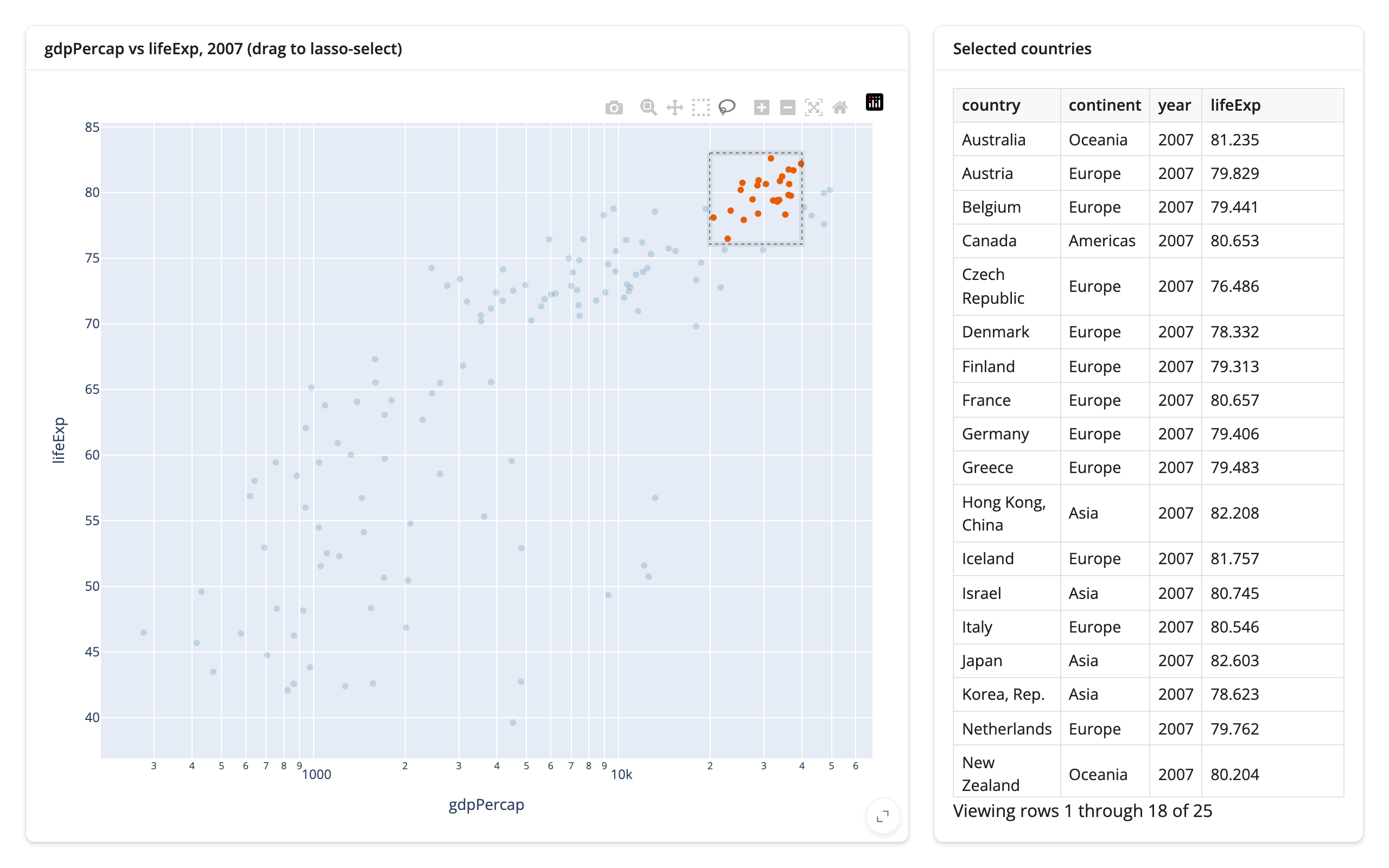
Nothing about this is Core-specific – plot.selected_rows(df) returns an empty frame until the user selects (so it can feed @render.data_frame directly), and the marker-color write happens on the same FigureWidget the browser already has, which is why a zoom made before the lasso survives it. See Updating in place for the general mechanism and the measured bytes it saves over re-rendering.
Modules: the same renderer, two independent instances
A Shiny module bundles a UI function and a server function behind one id, so the whole pair can be instantiated more than once in the same app, each with its own namespaced inputs and outputs. Nothing about a @render_plotly output (or any other renderer in this roster) needs to change to live inside one: the module decorators handle namespacing the output’s underlying id, and the renderer and its accessors work on whatever namespaced output they end up attached to, same as ever.
# Two instances of one Shiny module, each rendering its own plotly scatter
# with its own selection table. The point of this example is namespacing:
# lassoing points in instance A must not affect instance B's accessor, and
# vice versa (see the article's "Modules" section for what was verified).
import plotly.express as px
from shiny import App, Inputs, Outputs, Session, module, render, ui
from shinywidgets import output_widget, render_plotly

gapminder = px.data.gapminder()
df = gapminder[gapminder.year == 2007].reset_index(drop=True)


@module.ui
def scatter_ui(label: str):
    return ui.card(
        ui.card_header(label),
        output_widget("plot"),
        ui.output_data_frame("selected_table"),
        full_screen=True,
    )


@module.server
def scatter_server(input: Inputs, output: Outputs, session: Session):
    @render_plotly
    def plot():
        fig = px.scatter(
            df, x="gdpPercap", y="lifeExp", custom_data=[df.index], log_x=True
        )
        fig.update_layout(dragmode="lasso")
        return fig

    @render.data_frame
    def selected_table():
        return plot.selected_rows(df)


app_ui = ui.page_fillable(
    ui.layout_columns(
        scatter_ui("a", "Instance A"),
        scatter_ui("b", "Instance B"),
    ),
    title="One module, two instances",
)


def server(input: Inputs, output: Outputs, session: Session):
    scatter_server("a")
    scatter_server("b")


app = App(app_ui, server)
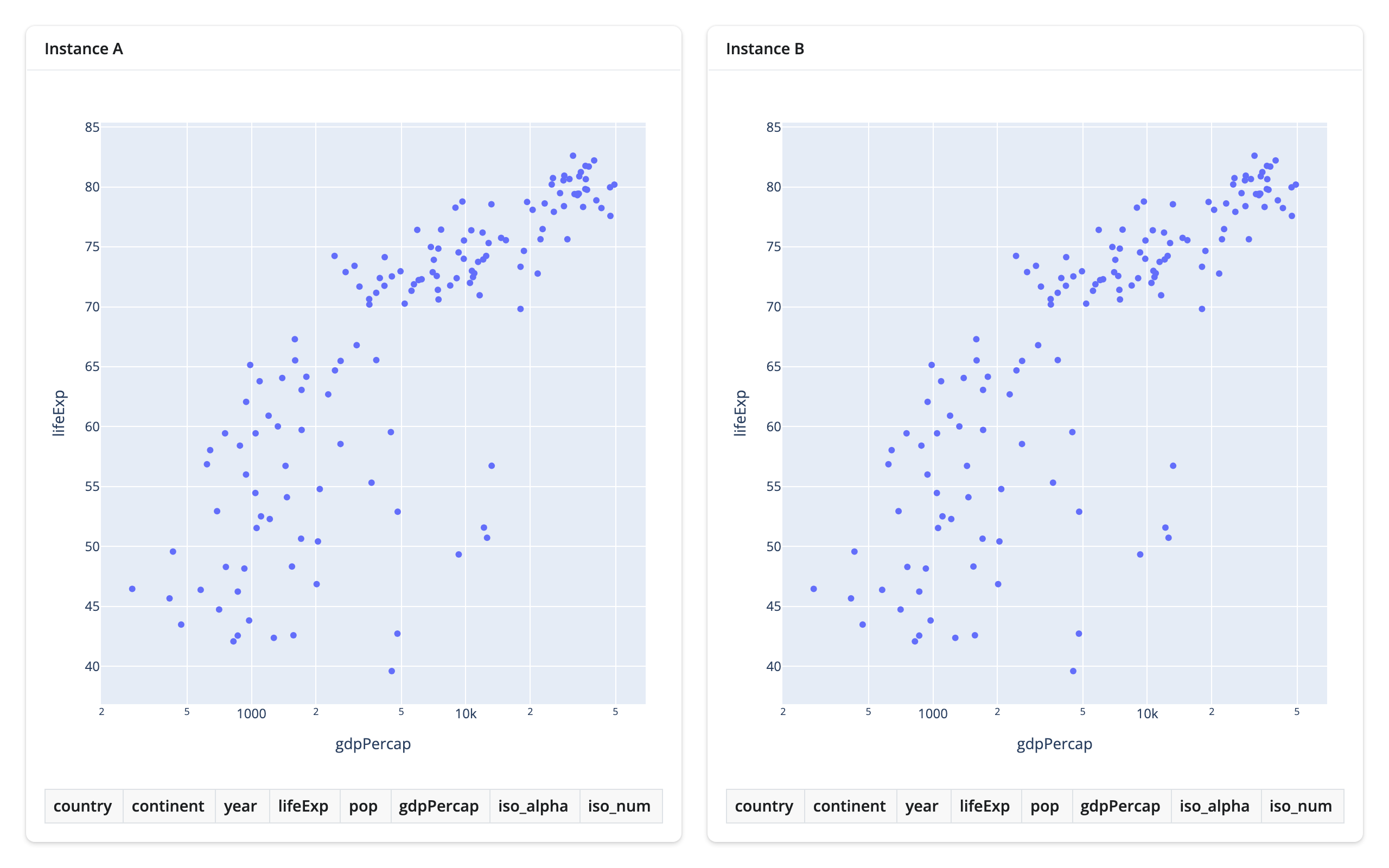
Both instances load identically (the id passed to scatter_ui()/scatter_server() becomes the DOM id prefix, e.g. a-plot and b-plot – open the page source if you want to see it):
Namespacing, verified with real gestures
The question a module raises that a single instance doesn’t: does plot.selected_rows(df) in instance A’s server function ever see instance B’s selection, or vice versa? It shouldn’t – each call to scatter_server() gets its own module session, so plot in A and plot in B are two separate renderer objects with two separate accessor states – but “shouldn’t” is a claim worth driving, not assuming.
Lassoing only instance A’s cluster populates A’s table (25 rows) and leaves B’s completely empty:
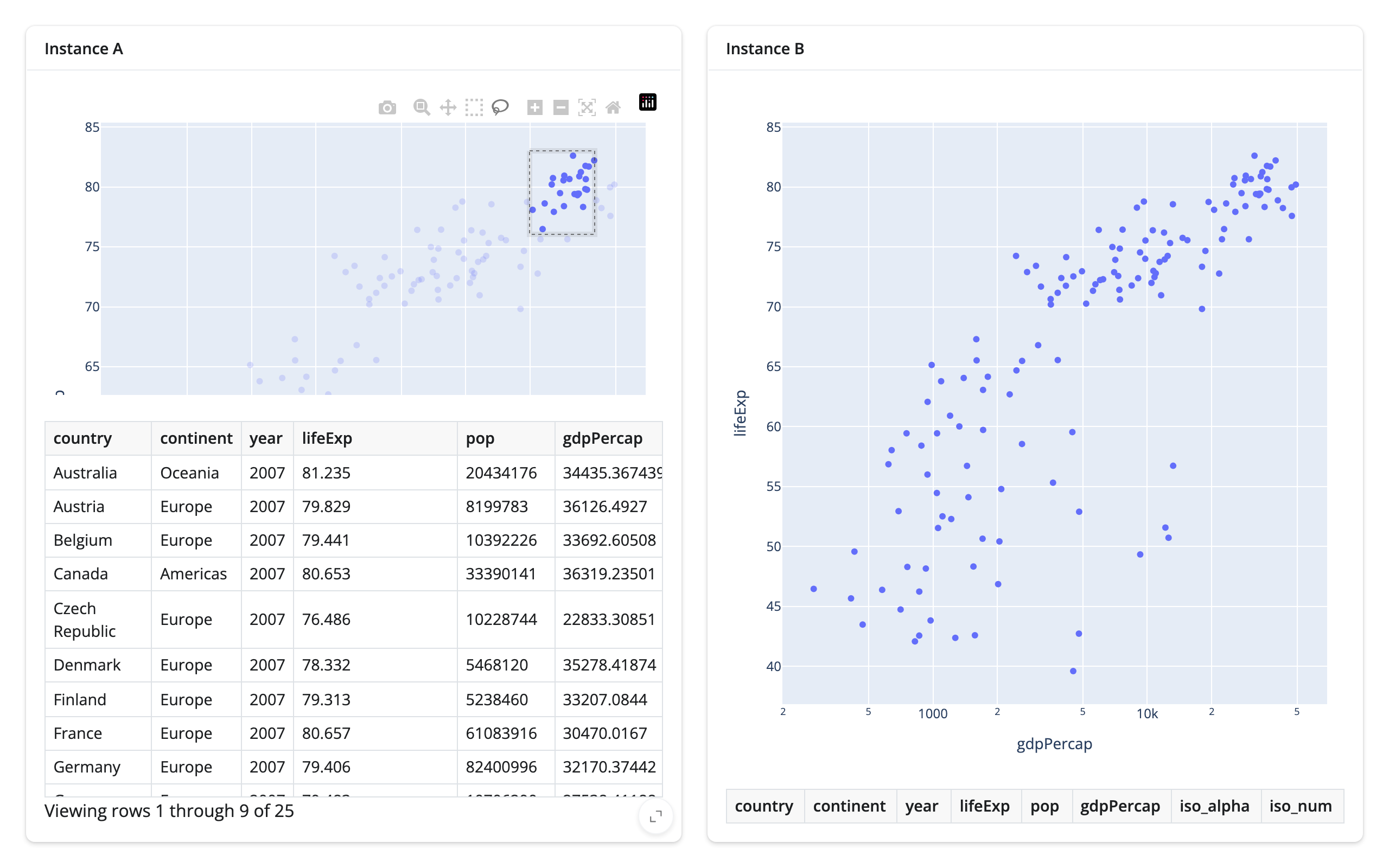
Lassoing a different region in instance B (a cluster of lower-income African countries, picked to be visibly distinct from A’s selection) then populates B’s table (13 rows) without touching A’s, which still shows its own 25 selected rows:
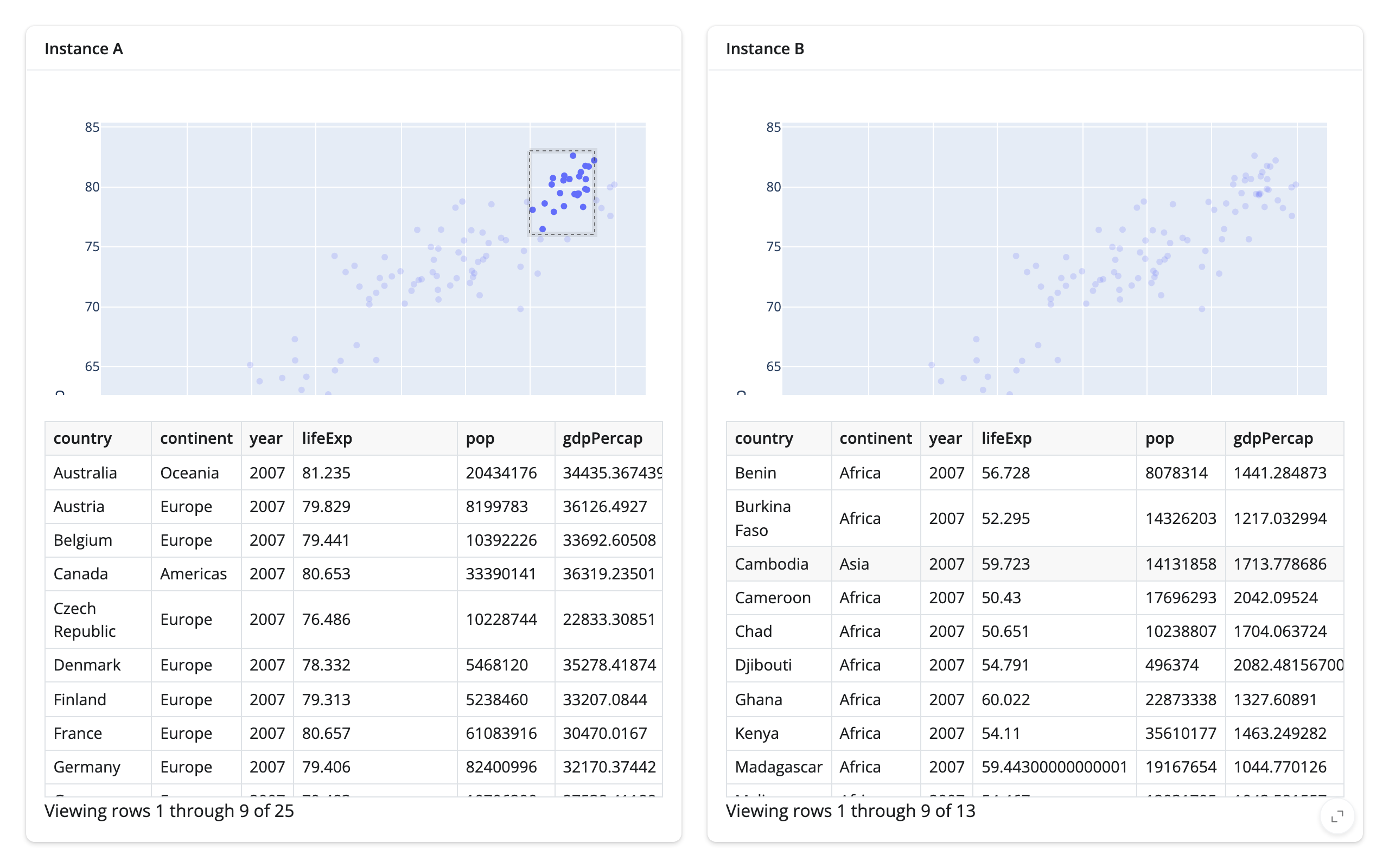
No accessor leak across module instances. Each instance’s plot.selected_rows(df) reported only the gestures made in that instance’s own plot, in both directions, across both module construction styles tested on this page (module.ui/module.server, and the Express @module below). This isn’t a surprising result – module namespacing is a long-standing Shiny Core feature, and shinywidgets’ renderer objects don’t share any global state across sessions or module scopes – but it’s the one thing specific to combining modules with shinywidgets that this page set out to confirm.
Express modules
Shiny Express has its own module syntax, @module from shiny.express, built on the same namespacing as module.ui/module.server underneath (@expressify plus a session scoped to the given id). It works with shinywidgets with no changes at all – the renderer and its accessors don’t know or care that they were constructed inside a module-scoped session instead of the top-level one:
# The same two-instance module as 02_module_two_instances.py, but written
# with Shiny Express's module syntax (`@module`, from `shiny.express`)
# instead of the `@module.ui`/`@module.server` pair. Express modules work
# with shinywidgets with no changes: `@render_plotly` and its accessors
# behave identically inside an `@module`-decorated function.
import plotly.express as px
from shiny.express import module, render, ui
from shinywidgets import render_plotly

gapminder = px.data.gapminder()
df = gapminder[gapminder.year == 2007].reset_index(drop=True)


@module
def scatter(input, output, session, label: str):
    with ui.card(full_screen=True):
        ui.card_header(label)

        @render_plotly
        def plot():
            fig = px.scatter(
                df, x="gdpPercap", y="lifeExp", custom_data=[df.index], log_x=True
            )
            fig.update_layout(dragmode="lasso")
            return fig

        @render.data_frame
        def selected_table():
            return plot.selected_rows(df)


ui.page_opts(title="One module, two instances (Express syntax)", fillable=True)

with ui.layout_columns():
    scatter("a", "Instance A")
    scatter("b", "Instance B")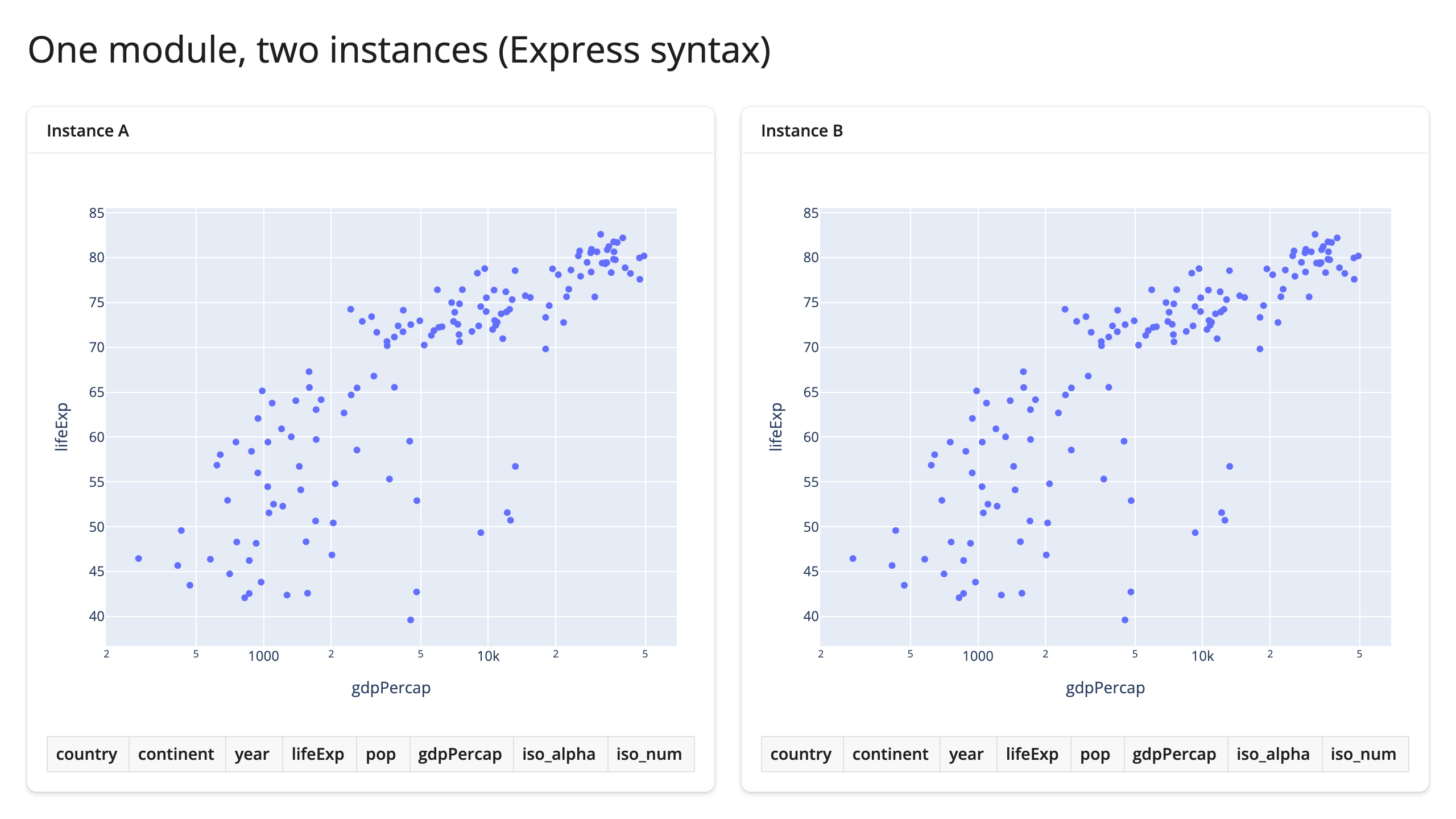
Re-running the same lasso-instance-A-only check against this version gave the same result: instance A’s table filled to 25 rows and instance B’s stayed at 0. If you’re deciding between the two module styles for reasons unrelated to shinywidgets (Core’s explicit module.ui/module.server pair vs. Express’s single @module function), that choice carries over here unchanged.
Where to go next
- Your first widget app builds the same render -> react -> update-in-place app from nothing, in Express, with the full walkthrough of each step.
- Updating in place covers the general in-place-vs-re-render mechanism this page’s Core example uses, including the measured bytes it saves and the
reactive.isolate()self-trigger loop it actually guards against. - Reacting to widgets is the full accessor mental model (what
Nonemeans, re-firing and clearing, rate limiting) – identical whether the output lives in Express, Core, or a module. - Shiny’s own module documentation for everything about modules that isn’t specific to shinywidgets: passing arguments beyond an id, nesting modules, and namespacing inputs.